
The emergency stop button is pressed, locked in, or has a loose wire that makes the controller think it's pressed. Quick to check, easy to fix.
What you'll see
If the display shows a different fault (high temperature, motor overload, phase error), it's not the e-stop. Read the actual fault message. See: Safety Interlock, Motor Overload, Phase Sequence Error.
Could also be:
How emergency stops on industrial air compressors work
Key thing to understand here is that most of the time, you need to perform multiple actions to reset an emergency stop (for build in safety reasons).
Those mushroom type buttons, once pressed, they stay pressed and they need to be twisted to be 'un-pressed'
Besides that, on modern controllers, the emergency switch triggers an internal error flag that needs to be reset. So once the actual button has been reset, we also need to reset the alarm / emergency flag in the controller. How to do this exactly depends on the controller make and model.
How to diagnose
-
Check the e-stop button
Look at the red mushroom-head button, usually on the front panel or near the controller. Is it pressed in? Someone might have hit it accidentally, or it might have been pressed during maintenance and forgotten. Most e-stops are twist-to-release: push to activate, twist clockwise (or pull) to release.
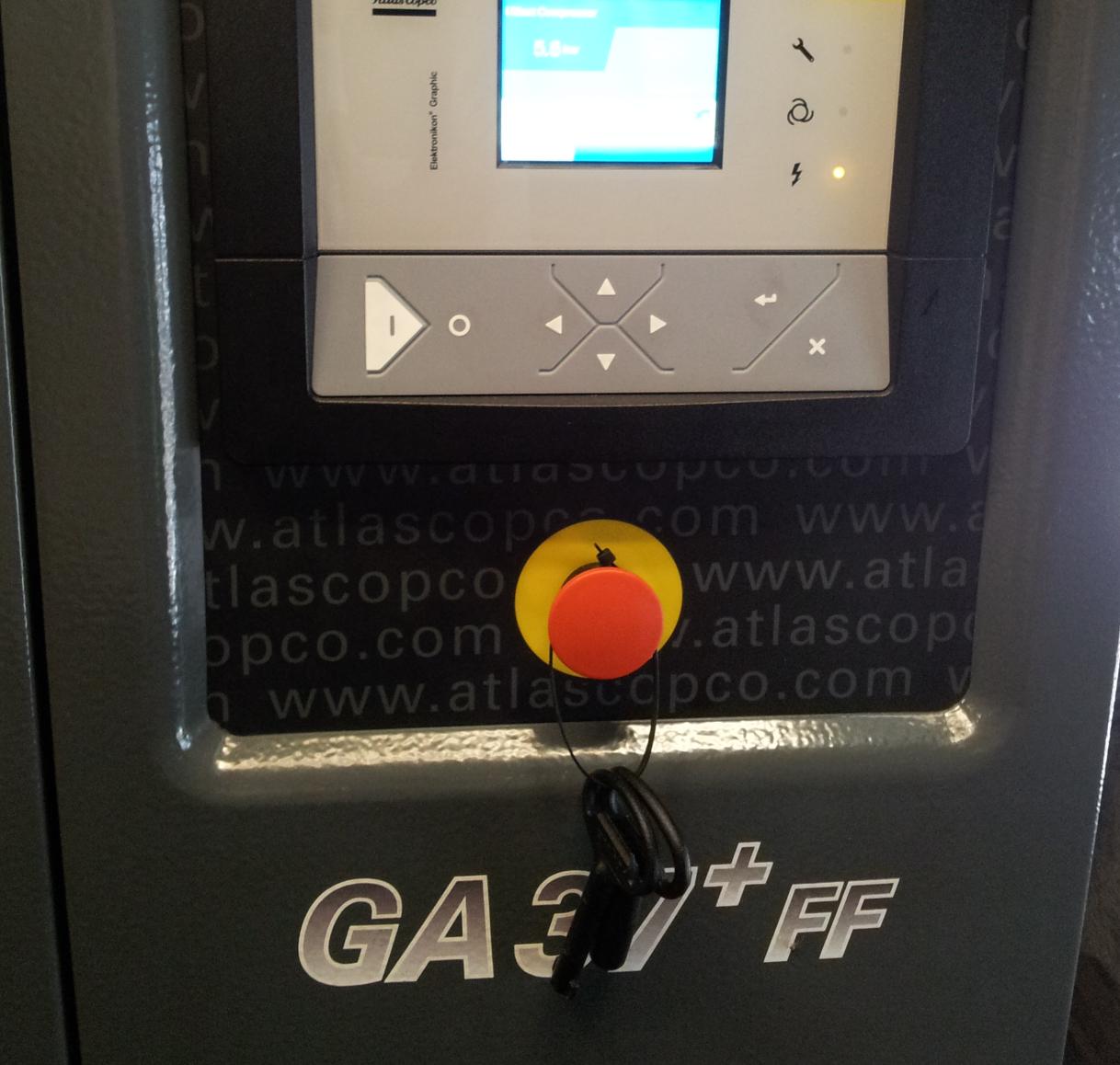 Result: Button pushed in = release it by twisting/pulling.
 -
Reset the fault on the controller
After releasing the e-stop, you usually need to acknowledge/reset the fault on the controller. The exact procedure varies by brand -- check the manual. On Atlas Copco Elektronikon controllers, there's typically a reset sequence.
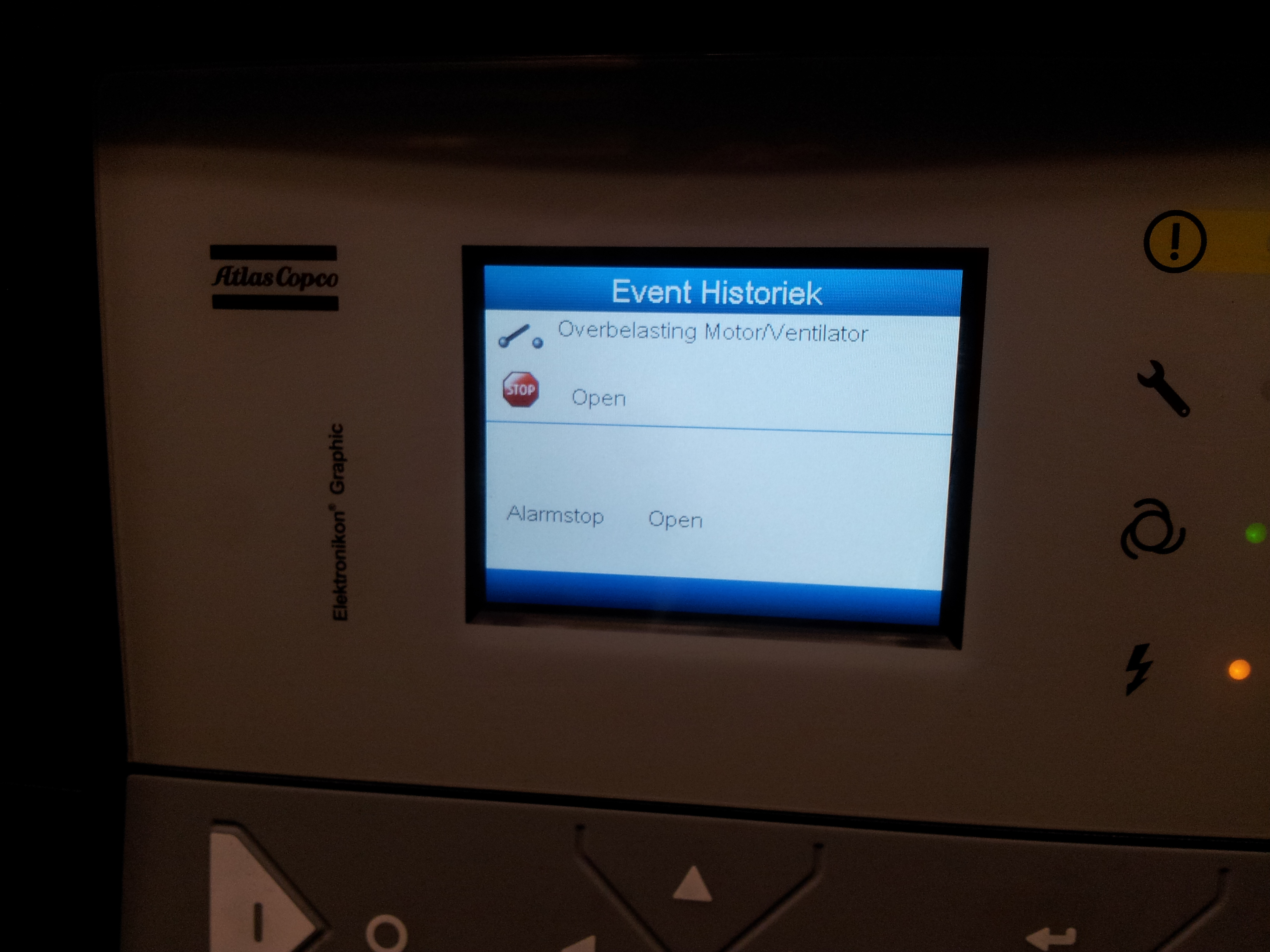 Result: Fault clears after reset = problem solved.
 -
Check for vibration-induced false trips
I've seen this on several machines: vibration causes the e-stop to activate by itself. The contacts inside the switch can be marginal or the wiring can be loose. If the e-stop trips without anyone touching it, carefully wiggle all wires going to the e-stop button. A loose connection can intermittently break the safety circuit, which the controller reads as an emergency stop.
Result: Loose wire found = tighten and secure. Keeps happening = replace the e-stop switch. -
Check wiring at the controller end
On Atlas Copco with Elektronikon 1 controller, the e-stop connects to connector 2X9 pin 1. On Elektronikon Mark 3, it's connector 2X9 pin 3. Check for a loose or corroded connection at the controller connector as well -- same symptom, different location.
Result: Loose controller connector = reseat and secure.
How to fix it
-
Release and reset
Release the e-stop (twist/pull), reset the fault on the controller, start the machine. Done. Takes 30 seconds if that's all it was.
-
Fix loose wiring (for false trips)
Tighten all connections at the e-stop switch and at the controller connector. If wires have fatigue damage from vibration, replace them. Add cable ties or strain relief to prevent future movement. If the switch itself has worn contacts, replace it -- e-stop switches are cheap and safety-critical.
Don't bypass the emergency stop circuit to 'solve' the problem. It's there for safety. If it keeps tripping due to vibration or loose wiring, fix the wiring -- don't jumper it out. Also: sometimes a mysterious 'won't start' with no alarms visible is actually a latched e-stop fault that requires a specific reset sequence. Check the controller manual for the exact procedure.
Replacement e-stop switch if contacts are worn. Screwdriver for tightening terminals. Cable ties for strain relief. No other special parts needed.